In today’s digitized world, smartphones have become an integral part of our daily lives. From communication to entertainment to payment, they are becoming increasingly powerful. With the popularity of Near Field Communication (NFC) technology, many people have begun to wonder if their iPhones can also work like professional RFID readers. This article will delve into the real-world capabilities and limitations of iPhone RFID to help you better understand the technology and identify where the iPhone can be useful and where it falls short.
Other related content, read our guide :
→ Can an iPhone Act as an NFC Tag? NFC Emulator & Shortcut Guide
→NFC Tags for iPhone: Everything You Need to Know
→ iPhone RFID: What You Can and Can’t Do
iPhone RFID: What can you do?
The iPhone’s built-in NFC chip gives it the ability to interact with certain RFID tags. To be clear, NFC itself is a specific subset of RFID technology that primarily operates in the high frequency (HF) range of 13.56 MHz and is designed for short-range communication. This means that your iPhone can read and write to NFC-compliant tags, which are typically used in the following scenarios:
1. Mobile Payments
This is the most widely known and widely used feature of iPhone NFC. With Apple Pay, users can store credit cards, debit cards and other information in their iPhone and make contactless payments at NFC-enabled payment terminals. This greatly enhances the convenience and security of payments.
2. Read NFC Tags
iPhone can read a variety of NFC tags that can be embedded in items such as posters, product packaging, and business cards. When the iPhone is close to these tags, specific actions can be triggered, for example:
- Open web link: Automatically jump to a preset website after scanning the NFC tag.
- Connect to a Wi-Fi network: Quickly connect to Wi-Fi with an NFC tag without having to manually enter a password.
- Launch Apps: Automatically open or download an app after scanning an NFC tag.
- Get product information: In a retail environment, scan an NFC tag to get product details, reviews or promotions.
3. Access and Transportation Card Emulation
In some areas and systems, the iPhone can add a compatible access card or transit card via Apple Wallet. This means that users can use their iPhone to swipe their card to enter an office, apartment or take public transportation. However, this usually requires specific system support and compatibility, and not all RFID access control systems are directly compatible with the iPhone.
4. Reading some HF RFID cards
Since NFC is a subset of high-frequency RFID, an iPhone can theoretically read some high-frequency RFID cards that operate at 13.56 MHz, such as some library cards and membership cards. However, it should be noted that this requires the card’s data format to be compatible with the iPhone’s NFC reading protocol, and usually requires a third-party application to implement. In addition, the reading distance is very short, usually only a few centimeters.
5. Development and Testing
For developers, the iPhone provides the Core NFC framework that allows them to create applications to read and write NFC tags. This opens up the possibility to develop innovative NFC-based applications such as inventory management, asset tracking or interactive marketing. However, the functionality of these applications is still limited by the technical specifications of NFC and the hardware capabilities of the iPhone.

iPhone RFID: What can’t you do?
While the iPhone has shown many capabilities in the NFC/RFID space, its capabilities are not unlimited. Here are some of the major limitations of the iPhone when it comes to RFID:
1. Inability to read all RFID frequencies
RFID technology covers a wide range of frequencies, including low frequency (LF, e.g., 125 kHz), high frequency (HF, e.g., 13.56 MHz, where NFC belongs to), and ultra-high frequency (UHF, e.g., 860-960 MHz.) The iPhone’s built-in NFC chip primarily supports HF RFID at 13.56 MHz, which means that it can’t directly read or write RFID tags at other frequencies. of RFID tags, for example:
Low Frequency (LF) RFID: Many traditional access cards, animal identification tags, etc. use LF RFID. iPhone cannot read these tags.
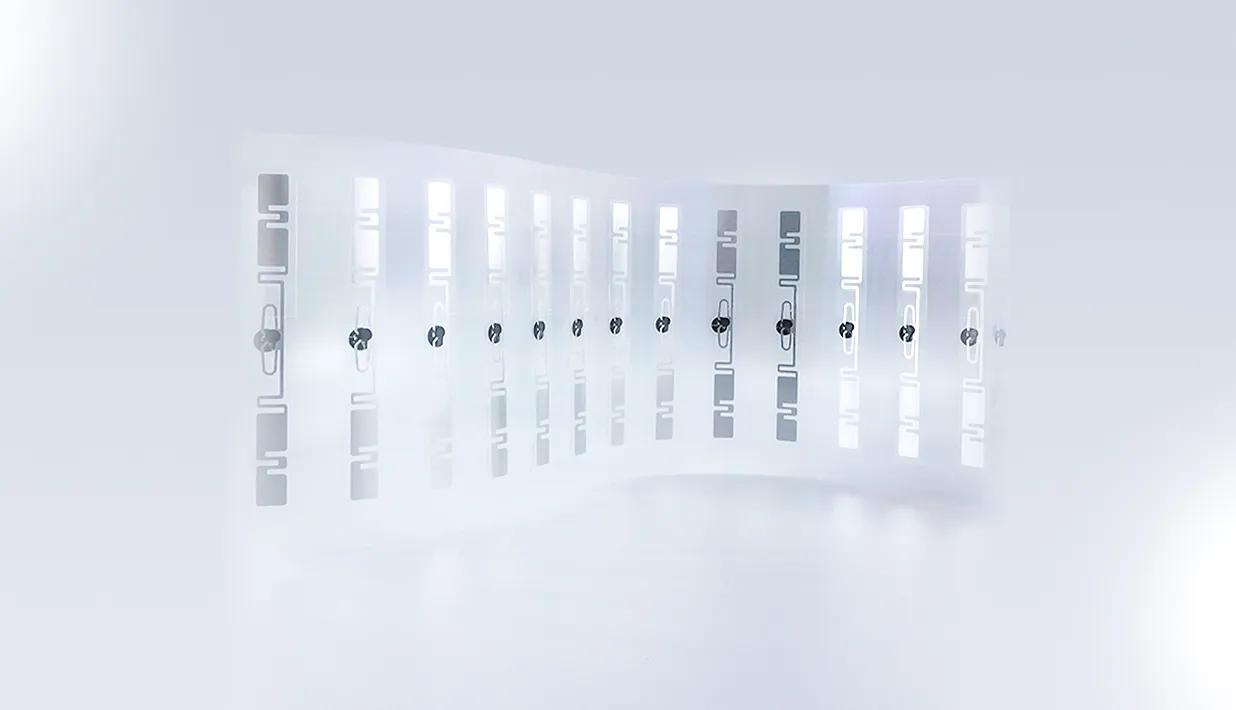
Ultra High Frequency (UHF) RFID: UHF RFID is commonly used in supply chain management, inventory tracking, apparel retail, and other scenarios that require long-range, fast bulk reads. iPhone does not have the ability to read UHF RFID tags.
2. Limited Reading Distance
One of the distinguishing features of NFC technology is its extremely short read range, typically only a few centimeters (0-10 cm). This contrasts with the longer read distances required for many RFID applications. For example, scanning goods in bulk in a warehouse or identifying vehicles from a distance in a parking lot is not a task for which NFC is well-suited. This short-range feature improves security (requiring physical contact or very close proximity to complete the interaction), but also limits its use in certain scenarios.
3. Cannot Emulate All RFID Cards
While the iPhone can emulate some access cards and transportation cards via Apple Wallet, this requires that the card itself supports NFC technology and that the issuer has a partnership with Apple. For many older, non-NFC-standard RFID access cards (especially low-frequency cards), the iPhone cannot emulate or duplicate them. This means you cannot simply replace all existing RFID cards with the iPhone.
4. Limited Write Functionalityy
While the iPhone can write to NFC tags via third-party apps, this write functionality is typically limited to NFC Forum-compliant tags and the amount of data that can be written is limited. For complex RFID tags (e.g., tags with encryption or special data structures), the iPhone’s ability to write is very limited, if not impossible.
5. Lack of professional RFID reader functionality
Professional RFID readers usually have more powerful features, such as:
- Multi-tag reading: able to read multiple RFID tags at the same time (anti-collision function).
- Longer reading distance: especially UHF readers, reading distance up to several meters or even tens of meters.
- Stronger data processing capabilities: able to handle more complex data protocols and encryption.
- Multiple interfaces and connections: Support USB, Ethernet, Bluetooth and other connections, easy to integrate into various systems.
As a consumer-grade smartphone, iPhone’s NFC function is mainly oriented to daily convenient applications, rather than professional RFID data collection and management. Therefore, it can’t replace professional RFID readers in industry, logistics, asset management and other fields.

NFC vs. RFID: A Comparison of Key Differences
In order to better understand where the iPhone fits into the RFID space, it is necessary to distinguish between NFC and the broader RFID technology. Although NFC is a subset of RFID, they differ significantly in terms of application, frequency and reading distance. The table below summarizes their key differences:
| Features | RFID (Radio Frequency Identification) | NFC (Near Field Communication) |
| Definition | A wireless communication technology that recognizes a specific target and reads and writes the associated data via radio frequency signals. | A subset of RFID designed for short-range, point-to-point communications. |
| Operating Frequency | A wide range of frequencies including Low Frequency (LF: 125-134 kHz), High Frequency (HF: 13.56 MHz), Ultra High Frequency (UHF: 860-960 MHz), etc. | High frequency (HF: 13.56 MHz) only. |
| Reading distance | varies from a few centimeters to tens of meters, depending on frequency and power. | Usually 0-10 centimeters, requiring very close contact. |
| Communication modes | Unidirectional (reader reads tag) or bidirectional (reader communicates with tag in both directions). | Bi-directional (point-to-point communication, reads and writes, also simulates a card). |
| Application Scenarios | Supply chain management, asset tracking, inventory management, animal identification, vehicle management, long distance access control, etc. | Mobile payment, smart poster, data exchange, short distance access control, transportation card, device pairing, etc. |
| Data transmission speed | Relatively fast, especially in the UHF band. | Relatively slow, but enough to support small data volume transmission. |
| Security | Additional encryption measures are required, and reading over long distances may pose a security risk. | Short-range features increase security and are often used in sensitive applications such as payments. |
| Batch Reading | UHF RFID supports batch reading of multiple tags. | Usually only one tag can be read at a time. |
Conclusion
All in all, the iPhone is a powerful smartphone with built-in NFC, making it play an important role in RFID, especially in mobile payment, NFC tag reading and some access control and traffic card emulation. It brings great convenience and efficiency to our daily lives. However, it is inaccurate to consider the iPhone as a general-purpose RFID reader.
The iPhone’s RFID capabilities are mainly focused on the high frequency (13.56 MHz) short-range communication category covered by NFC technology. This means that it cannot handle low-frequency or ultra-high-frequency RFID tags, nor can it perform the functions of a professional RFID reader, such as long-range, bulk reading. Therefore, when it comes to large-scale inventory management, supply chain tracking or complex asset management scenarios, professional RFID solutions and devices are still irreplaceable.
If you are interested in related information, please contact us at rfidlabel.com.
Other related content, read our guide :
→ Can an iPhone Act as an NFC Tag? NFC Emulator & Shortcut Guide
→NFC Tags for iPhone: Everything You Need to Know
→ iPhone RFID: What You Can and Can’t Do
FAQs
1. Do iPhone users need an app to scan NFC labels?
Usually no. Many newer iPhones can open NFC links directly when the screen is active. However, writing or testing NFC tags may still require a third-party NFC app.
2. What type of NFC label works best for iPhone interaction?
For most iPhone tap experiences, choose NFC labels that support common NFC Forum formats and can store a simple URL, product page, or authentication link.
Recommended Product

On-Metal Mobile NFC Label MIFARE Ultralight® C Ø30mm

The Ø30mm NXP MIFARE Ultralight® C On-Metal Mobile NFC Label is a compact and high-performance NFC label specifically designed for on-metal applications. Powered by NXP’s MIFARE Ultralight® C chip, this NFC label supports 3DES authentication for enhanced data security, making it ideal for applications requiring both compact size and secure communication. Also, it supports ISO/IEC 14443-A , NFC Type-2 international communication standards. With a diameter of 30mm, the label is small enough to be embedded discreetly, yet large enough to provide reliable performance even when applied directly to metal surfaces — a scenario where many standard NFC labels fail. It comes equipped with a specially engineered ferrite layer, which neutralizes interference from metal and ensures consistent readability.
This NFC label is optimized for mobile interaction, compatible with all NFC-enabled smartphones and devices. It is widely used in asset tracking, anti-counterfeiting, industrial equipment tagging, product authentication, and smart marketing initiatives.