
When ordering RFID labels in rolls, most buyers ask about the chip, label size, material, adhesive, and read range first. That makes sense. These details decide whether the label can work in the target application.
But there is another specification that is easy to overlook: the spacing between labels.
In production, this spacing is usually described with two terms: pitch and gap. They sound like small converting details, but they can affect how well the roll runs through an RFID printer, encoder, or automatic labeling machine.
A label with the right chip and material can still cause trouble if the gap is too small, too large, or inconsistent. The printer may skip labels. The print position may shift. The RFID encoding step may fail. The applicator may not peel the label cleanly.
This is why RFID label pitch and gap should be confirmed before mass production, especially for custom roll labels.
What Is RFID Label Pitch?
RFID label pitch is the repeat distance from one label to the next label on a roll.
In most production discussions, pitch means the distance from the leading edge of one label to the leading edge of the next label. Some people also describe it as the center-to-center distance between two labels when the label layout is regular.
For example:
If the label length in the feed direction is 40 mm, and the gap between labels is 3 mm, then the pitch is 43 mm.
| Item | Example |
| Label length | 40 mm |
| Gap | 3 mm |
| Pitch | 43 mm |
Pitch tells the printer or applicator how often a new label appears as the roll moves forward. If the pitch is set incorrectly in the printer software or machine setup, the print position may drift after a few labels.
What Is RFID Label Gap?
RFID label gap is the blank space between two labels on the liner. It is also called label gap or inter-label gap.
The gap is usually measured from the end of one label to the start of the next label.
This blank area helps the printer detect where one label ends and the next label begins. Many RFID printers use a gap sensor to read this difference between the label area and the liner area.
For a normal label, the gap mainly affects print positioning. For an RFID label, it can also affect RFID encoding, peeling, dispensing, and automatic application.
That is why the gap should not be treated as “just empty space.”

Pitch vs Gap: Do Not Mix Them Up
Pitch and gap are related, but they are not the same.
| Term | Meaning |
| Label length | The size of one label in the feed direction |
| Gap | The blank space between two labels |
| Pitch | Label length plus gap |
For custom RFID labels, these small misunderstandings can lead to the wrong roll layout. Once the roll is produced, the issue may only appear when you loads it into the printer or applicator.
Why Gap Matters More for RFID Labels
RFID labels are not only printed stickers. Each label contains an inlay, which includes the RFID chip and antenna.
That extra structure makes label spacing more sensitive.
During printing and encoding, the printer needs to know exactly where the label starts. It may print text, barcode, QR code, logo, or variable data on the face material. At the same time, it may also encode the RFID chip.
If the label position is detected incorrectly, the result may not be limited to bad printing. The RFID encoding step may also fail or become unstable.
This is why a roll that looks acceptable by eye can still perform poorly in an RFID printer.
What Happens When the Gap Is Too Small?
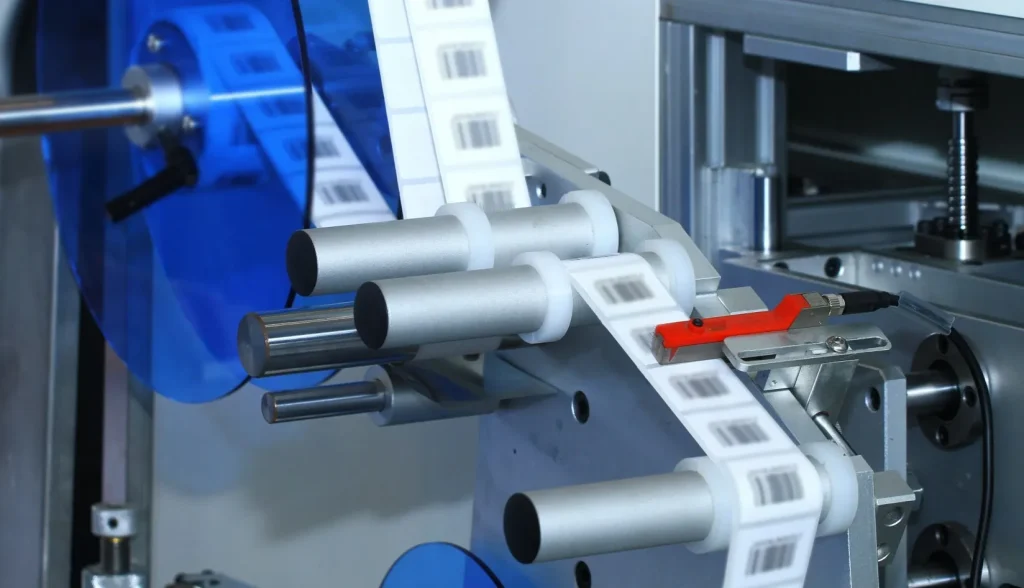
A smaller gap can save liner material and fit more labels on a roll. But if the gap becomes too small for the equipment to detect reliably, the savings are not worth it.
| Small Gap Problem | What Usually Happens |
| Sensor cannot detect the gap clearly | Printer skips labels or feeds incorrectly |
| Label start position is unstable | Printed content shifts up or down |
| Gap is too narrow for high-speed operation | Applicator may double-feed or stop |
| Labels sit too close together | Peeling and dispensing become less stable |
| RFID inlay layout is too tight | Encoding or conversion risk may increase |
For many RFID roll label projects, a gap starting from 2–3 mm is more practical than pushing the spacing too tight. Some equipment can handle smaller gaps, but this should be tested with the actual printer or applicator.
What Happens When the Gap Is Too Large?
A larger gap is usually easier for sensors to detect. But too much gap creates other problems.
| Large Gap Problem | What Usually Happens |
| More liner is used | Material cost increases |
| Fewer labels fit on one roll | Roll changes become more frequent |
| Feed distance becomes longer | Printing or labeling speed may drop |
| Roll diameter increases | Machine compatibility may be affected |
| Shipping and storage are less efficient | More space is needed for the same label quantity |
The best gap is not the biggest gap. It is the smallest gap that still allows stable sensing, feeding, encoding, and application.
Practical Gap Recommendations
There is no single gap value that works for every RFID label. The right gap depends on label size, material, liner, printer sensor, roll direction, and application speed.
The table below can be used as a practical reference.
| Label Size | Suggested Gap | Notes |
| Small labels, around 25–50 mm | 2–3 mm | Common starting range, but sensor testing is recommended |
| Medium labels, around 50–100 mm | 3–5 mm | More stable for printing, encoding, and dispensing |
| Large labels, above 100 mm | 5–10 mm | Helps with feeding and applicator control |
| High-speed industrial labeling | Usually 2 mm or more | Final value should follow machine testing |
These values are not strict rules. A desktop RFID printer, an industrial printer, and an automatic labeling machine may not respond the same way.
If you already has a printer or labeling machine, the safest approach is to confirm the equipment requirement before producing the full roll.
Gap Sensor, Black Mark Sensor, and Notch Sensor
RFID printers and label applicators do not all detect labels in the same way. The detection method should match the roll format.
| Detection Method | How It Works | Common Use |
| Gap sensor | Detects the blank space between labels | Standard die-cut labels with visible gaps |
| Black mark sensor | Detects black lines or black marks on the liner | Transparent labels, small gaps, or hard-to-detect edges |
| Notch or hole sensor | Detects a punched notch or hole | Special tickets, tags, or non-standard roll formats |
For most standard RFID roll labels, gap sensing is enough.
Black marks are useful when the gap is difficult for the sensor to read. This can happen with transparent labels, transparent liners, very small gaps, irregular shapes, or specific printer settings.
→ If your RFID printer needs stronger label position detection for transparent materials or small gaps, read our guide:
What are RFID printer printing black lines?
Material and Liner Also Affect Gap Detection
Gap size is only one part of the issue. The label material and liner can also affect sensor performance.
A gap sensor works by detecting a difference between the label area and the liner area. If that difference is not clear, the sensor may misread the roll.
| Label or Liner Condition | Possible Issue |
| Transparent label | Gap may be harder to detect |
| Transparent liner | Sensor may not read the boundary clearly |
| Glossy surface | Reflection may affect some sensors |
| Very small label | Feeding tolerance becomes tighter |
| Thick RFID inlay | Roll feeding may be less smooth |
| Irregular die-cut shape | Sensor may not detect the edge consistently |
| Inconsistent die cutting | Gap changes along the roll |
This is one reason why sample rolls are useful.
How Pitch and Gap Affect RFID Encoding
RFID encoding depends on timing and position.
When an RFID printer encodes a tag, the inlay needs to pass through the printer’s encoding area at the correct moment. If the label start position is wrong, the printer may try to encode at the wrong location.
This can cause:
- Encoding failure
- Skipped RFID tags
- Repeated calibration errors
- VOID printing on failed labels
- Unstable print-and-encode results
This is especially important when the label is small, the inlay is close to the edge, or the printer is running at higher speed.
A stable gap helps the printer detect each label repeat more accurately. It does not replace RFID calibration, but it gives the printer a better starting point.

Pitch and Gap in Automatic Labeling
For automatic labeling, the gap affects how the label peels from the liner and how the applicator presents each label.
If the gap is too small, the machine may not have enough time or space to separate one label cleanly before the next one arrives. If the gap is too large, the machine may run slower or waste movement between labels.
Automatic labeling also depends on:
- Label stiffness
- Liner release force
- Roll direction
- Label gap
- Label shape
- Application speed
- Product surface
- Applicator sensor type
For machine-applied RFID labels, the label supplier and customer should confirm the applicator requirements before finalizing the roll layout.
What to Confirm Before Ordering Custom RFID Roll Labels
Before producing a custom RFID label roll, it is useful to confirm the full roll specification, not only the label size.
| Specification | Why It Matters |
| Label width and length | Confirms printable area and inlay fit |
| Gap | Affects sensing, printing, peeling, and application |
| Pitch | Confirms repeat distance for printer or applicator setup |
| Roll direction | Determines feed direction and print orientation |
| Core size | Must match printer or applicator |
| Roll outer diameter | Affects machine loading capacity |
| Liner type | Affects feeding and gap detection |
| Black mark requirement | Needed when gap sensing is unreliable |
| Printing method | Determines face material and ribbon compatibility |
| RFID encoding requirement | Affects printer setup and tag position |
| Application method | Manual, printer-applied, or automatic labeling |
A clear specification reduces back-and-forth communication and helps avoid production errors.
Common Problems and How to Fix Them
| Problem | Likely Cause | What to Check |
| Printer skips labels | Gap is too small or sensor is not calibrated | Recalibrate printer or increase gap |
| Print position shifts | Wrong pitch or label size setting | Check printer driver and media settings |
| RFID encoding fails | Label position or encoding position is wrong | Run RFID calibration and check pitch |
| Applicator double-feeds labels | Gap is too small or inconsistent | Check roll quality and applicator sensor |
| Labels do not peel smoothly | Gap, liner, or release force is unsuitable | Test liner and dispensing setup |
| Transparent labels are not detected | Gap sensor cannot see the edge clearly | Use black marks or notch detection |
| Roll has fewer labels than expected | Gap is too large | Review gap and roll diameter |
| Frequent recalibration is needed | Gap consistency is poor | Improve die cutting and converting control |
In many cases, the label itself is not “bad.” The roll format simply does not match the printer or applicator well enough.
A Simple Example
Suppose a customer orders a 50 × 30 mm UHF RFID label for warehouse tracking. The label will be printed and encoded with an industrial RFID printer, then applied manually.
A 2–3 mm gap may be enough if the printer can detect it reliably.
But if the same label is used on a high-speed automatic labeling line, the customer may need a larger gap for smoother dispensing. If the label uses a transparent face material or liner, black marks may be needed instead of normal gap sensing.
The label size is the same in all three cases. The best gap may not be.
That is why pitch and gap should be decided based on the equipment and process, not only the label drawing.

Conclusion
RFID label pitch and gap are small details, but they affect real production.
A suitable gap helps the printer detect each label, keeps printing aligned, supports RFID encoding, and allows smoother peeling or automatic application. A gap that is too small can create detection and feeding problems. A gap that is too large increases material use and reduces roll efficiency.
Before placing a custom RFID roll label order, confirm the label size, gap, pitch, roll direction, core size, printer model, and applicator requirements. These details make the finished roll easier to print, encode, and use on the customer’s production line. If you are planning an RFID labeling project, rfidlabel.com can help you choose the right label structure, chip, material, adhesive, and printing option. Contact us with your application details, and our team will help you evaluate a suitable RFID label solution.
Recommended Product

4″x2″ 860-960MHz UHF RFID Label Impinj® Monza® 4D

Introducing our 4″x2″ UHF RFID Label, a fusion of size and technological excellence featuring the highly capable Impinj® Monza® 4D chip. Operating in the 860-960MHz frequency range, this label offers unparalleled read and write performance. Designed for versatility, its PP Synthetic Paper surface is fully compatible with thermal transfer label printers. Whether you’re in logistics, healthcare, or retail, you’ll find this label is built for precision, speed, and durability.