Contactless cards have become an essential part of our daily lives, offering convenience and speed for financial transactions. However, many users wonder if these cards can function properly when stored inside wallets. Contactless payment methods are now widespread, with technology advancing rapidly. In this comprehensive guide, we explore how contactless cards work, whether they function inside wallets, and key factors that influence their performance.
What Are Contactless Cards?
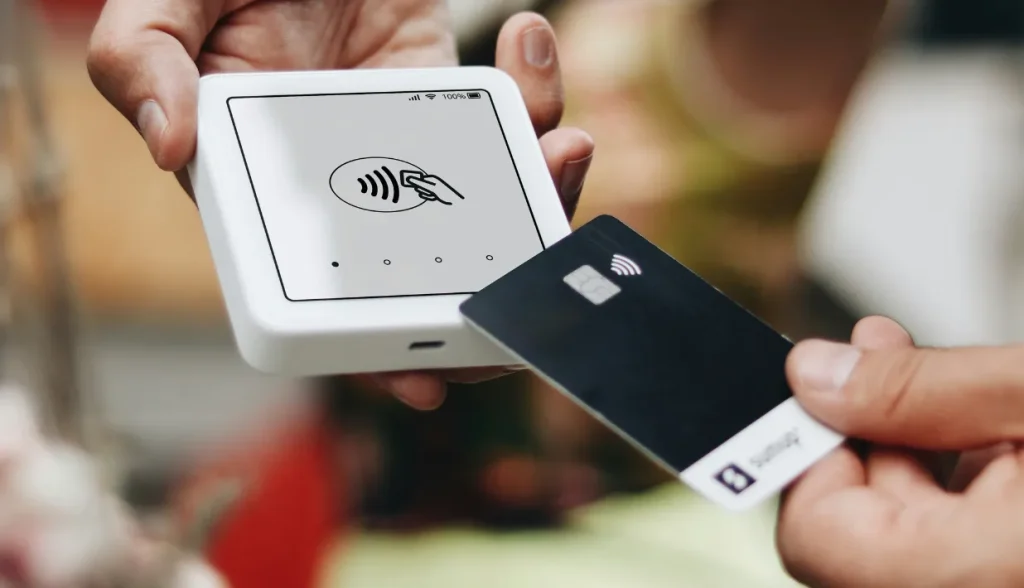
Contactless cards use radio frequency identification (RFID) or near-field communication (NFC) technology to transmit data wirelessly to a payment terminal. They enable users to make payments by simply tapping the card near the terminal without needing to swipe, insert, or enter a PIN for transactions below a certain threshold.
How Does Contactless Technology Work?
The technology behind contactless cards involves the transmission of encrypted payment data via short-range radio waves. These radio waves are generated when the card is brought within a few centimeters of an NFC-enabled payment terminal. The terminal then reads the data and completes the transaction.
Key Features of Contactless Cards
- Convenience: No need to enter a PIN or sign for small transactions.
- Speed: Transactions are completed in seconds.
- Security: Data is encrypted, reducing the risk of fraud.
- Limits: Each country has a limit for the maximum amount allowed for contactless payments without requiring a PIN.
Can Contactless Cards Work Through a Wallet?
Yes, contactless cards can work through a wallet—but the materials and thickness of the wallet can impact performance. Many factors determine whether your contactless card will function properly when inside a wallet, and understanding these can help ensure smooth, hassle-free payments.
Material of the Wallet
The material of your wallet plays a critical role in determining whether your contactless card will work through it. Some materials are better at allowing NFC signals to pass through, while others may block or interfere with the signal.
- Leather wallets: Most leather wallets are thin enough to allow contactless signals to pass through, meaning the card will work even when kept inside.
- Fabric wallets: Like leather wallets, fabric wallets typically do not interfere with the NFC signal, allowing easy payment.
- Metal wallets: These can block the NFC signal entirely, preventing contactless cards from working through them.
- RFID-blocking wallets: Specifically designed to block RFID signals for security purposes, these wallets will prevent any contactless transaction from occurring while the card is inside.
Wallet Thickness
Even if your wallet is made of a signal-permitting material like leather or fabric, the thickness can still be an issue. If the wallet is too thick, the NFC signal may not be strong enough to reach the payment terminal, resulting in a failed transaction. Wallets with multiple layers, pockets, or large numbers of cards may reduce the signal’s strength.

Impact of Other Cards in the Wallet
Another factor that can affect whether your contactless card works through your wallet is the presence of other cards, especially if they are also contactless cards.
Multiple Contactless Cards
If you have multiple contactless cards in your wallet, the terminal may struggle to differentiate between them. This is called card clash. In such situations, the payment terminal may not read any card at all, or it could read the wrong card, causing confusion.
Non-Contactless Cards
Non-contactless cards, such as traditional debit and credit cards, do not emit signals that could interfere with your contactless card. However, having too many non-contactless cards stacked together in your wallet can increase the overall thickness, which, as mentioned, can weaken the signal strength.
How to Avoid Card Clash?
To avoid card clash, keep your contactless card separate from others when making payments. You can either remove the card from the wallet entirely or place it in a compartment by itself.
Distance Between Wallet and Terminal
Contactless payments require the card to be within close proximity to the payment terminal—usually within 2 to 4 centimeters. If your wallet creates too much distance between the card and the terminal, the transaction may fail.
Even if your wallet is thin and made of a material that allows signals to pass, if the card is not close enough to the terminal, it won’t work. This issue commonly occurs when using thick wallets or placing the card in a wallet pocket farthest from the terminal.

Security Concerns with Contactless Payments
While the convenience of contactless payments is undeniable, there are some security concerns related to using these cards through a wallet. Many people worry about unauthorized transactions occurring if their card is too close to a terminal or if someone tries to “skim” their card data.
Skimming and RFID Theft
RFID theft occurs when someone uses a scanner to read the card’s data without your knowledge. However, modern contactless cards use encryption technology that makes this form of theft extremely difficult. Additionally, most payment systems require the card to be within a very short distance to process a transaction, further reducing the risk.
RFID-Blocking Wallets for Extra Security
If you are particularly concerned about RFID theft, using an RFID-blocking wallet can offer peace of mind. Just remember that these wallets will also block legitimate contactless payments, so you’ll need to remove the card when making a purchase.
What To Do If Your Contactless Card Isn’t Working Through a Wallet
If your contactless card isn’t working through your wallet, several simple solutions can help:
- Check the wallet material: Ensure that the wallet isn’t made of metal or other signal-blocking materials.
- Reduce the thickness: Remove any unnecessary cards or items from your wallet to improve the NFC signal strength.
- Isolate the contactless card: Separate your contactless card from other cards, especially other NFC-enabled cards, to avoid card clash.
- Move the card closer to the terminal: Ensure that the card is within the required range for the terminal to read it properly.
If your contactless card still isn’t working after trying the steps above, the issue may lie with the card itself. In such cases, contact your bank or card issuer to request a replacement.
Advantages of Using Contactless Cards in a Wallet
Despite the potential issues, using contactless cards in your wallet comes with several advantages, especially when you take steps to ensure they work properly.
Convenience
Carrying multiple cards in a wallet while being able to make quick and easy contactless payments adds convenience to your daily routine.
Time-Saving
Not having to remove your card from your wallet saves time, especially during busy checkout periods or when handling multiple bags and items.
Added Layer of Security
When your card remains in your wallet during the payment process, it reduces the risk of misplacing it or leaving it behind after a transaction.

Tips for Maximizing Contactless Card Efficiency
To ensure that your contactless card works smoothly through your wallet, follow these tips:
- Choose the right wallet: Opt for wallets made of leather, fabric, or other materials that do not block NFC signals.
- Keep it thin: Avoid overstuffing your wallet with cards, cash, and other items.
- Use an RFID-blocking sleeve: If you don’t want to invest in a full RFID-blocking wallet, you can use an RFID-blocking sleeve to protect your card from skimming while still allowing contactless payments when removed.
- Be mindful of the range: Always make sure that your wallet is close enough to the payment terminal when making a transaction.
Conclusion
Contactless cards can indeed work through a wallet, but several factors must be considered for optimal performance. The material, thickness, and contents of the wallet can all influence whether the card’s NFC signal is strong enough to reach the payment terminal. Additionally, security concerns such as RFID theft can be mitigated by using an RFID-blocking wallet, though these wallets will also prevent legitimate transactions.
By understanding how contactless technology works and taking steps to optimize wallet setup, users can enjoy the convenience of contactless payments without removing the card from their wallets.
Welcome to visit rfidlabel.com for more information and RFID solutions!
FAQs
1. Can multiple contactless cards in a wallet interfere with each other?
Yes, having multiple contactless cards in a wallet can cause card clash, making it difficult for the terminal to detect the correct card.
2. How close does a contactless card need to be to the payment terminal?
Typically, a contactless card needs to be within 2 to 4 centimeters of the terminal to complete a transaction.
3. Can a contactless card be skimmed while in a wallet?
While modern contactless cards have strong encryption, using an RFID-blocking wallet can provide extra security to prevent skimming.
4. Do metal wallets block contactless payments?
Yes, metal wallets can block the NFC signals, preventing the card from functioning during contactless payments.
5. What should I do if my contactless card stops working through my wallet?
Check the wallet material, reduce its thickness, separate the contactless card from others, and ensure it’s close enough to the terminal. If the issue persists, request a new card from your bank.
Recommended Product

Multi-Protocol Desktop HF RFID Reader / Writer
Desktop HF RFID Reader AZ-RL863 is a high-performance, multi-functional 13.56 MHz High-frequency RFID desktop reader designed for scenarios that require stable and efficient RFID data interaction. It supports the mainstream HF protocols of ISO/IEC 14443A, 14443B , 15693, 18000-3M3, and is compatible with a variety of tag types, and can be widely used in desktop card issuance, access control, e-tickets, payment terminals, book lending systems and other fields.